> ## Documentation Index
> Fetch the complete documentation index at: https://docs.miona.bot/llms.txt
> Use this file to discover all available pages before exploring further.
# AutoPFP
> Automatically sends random profile pictures in a channel to engage your community.
AutoPFP is a feature that sends random profile pictures in a channel to engage your community. It provides a great way to find new and good looking profile pictures and engage your members.
 # ⚙️ How to set it up?
First you need to run the following command:
```sh theme={null}
/autopost autopfp start [channel]
```
The `` argument is the delay between the pfps and it's required.
The minimum `` is `1 minute` and if you want to decrease the delay please consider supporting us on our patreon store [here](https://patreon.com/MionaBot).
Also there is a limit of `5` autopfp channels per server, if you want to increase this limit please consider supporting us on our patreon store [here](https://patreon.com/MionaBot).
After this step you need to choose the types of PFPs that you want the bot to send.
# ⚙️ How to set it up?
First you need to run the following command:
```sh theme={null}
/autopost autopfp start [channel]
```
The `` argument is the delay between the pfps and it's required.
The minimum `` is `1 minute` and if you want to decrease the delay please consider supporting us on our patreon store [here](https://patreon.com/MionaBot).
Also there is a limit of `5` autopfp channels per server, if you want to increase this limit please consider supporting us on our patreon store [here](https://patreon.com/MionaBot).
After this step you need to choose the types of PFPs that you want the bot to send.
 You can select multiple image types for one channel.
After setting up the autopfp, you might be asked to vote for the bot if you haven't already.
The bot will ask you to vote every **48 hours**.
Servers with active `Premium` and `Platinum` subscriptions are not required to vote.
Check out our [Patreon Store](https://patreon.com/MionaBot) to learn more.
You can select multiple image types for one channel.
After setting up the autopfp, you might be asked to vote for the bot if you haven't already.
The bot will ask you to vote every **48 hours**.
Servers with active `Premium` and `Platinum` subscriptions are not required to vote.
Check out our [Patreon Store](https://patreon.com/MionaBot) to learn more.
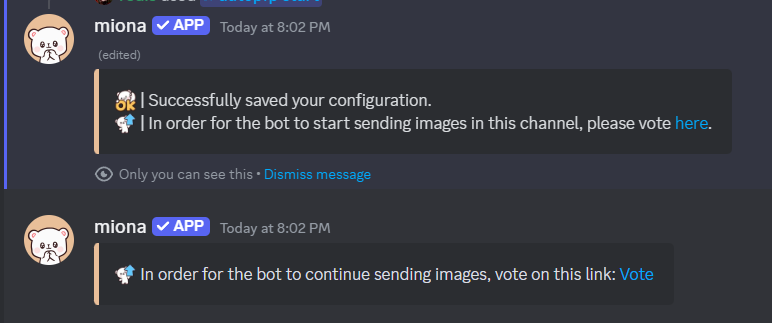 When you are voting, please use the link that is given to you by the bot or by running `/vote` in your server, because the link given by the bot is unique and identifies your server. This is the only way for us to know for which server you've voted.
After you've voted the bot should start sending random PFPs of the desired types.
# ❌ How to disable?
You can disable AutoPFP by running the following command:
```sh theme={null}
/autopost autopfp stop [channel]
```
If you don't specify a channel, the channel where you are running the command will be used.
# 📋 How to see your PFP channels?
You can see your PFP channels by running the following command:
```sh theme={null}
/autopost autopfp list
```
When you are voting, please use the link that is given to you by the bot or by running `/vote` in your server, because the link given by the bot is unique and identifies your server. This is the only way for us to know for which server you've voted.
After you've voted the bot should start sending random PFPs of the desired types.
# ❌ How to disable?
You can disable AutoPFP by running the following command:
```sh theme={null}
/autopost autopfp stop [channel]
```
If you don't specify a channel, the channel where you are running the command will be used.
# 📋 How to see your PFP channels?
You can see your PFP channels by running the following command:
```sh theme={null}
/autopost autopfp list
```
